|
 |
|
|
 |
|
|
 |
 |
| |
DESKTOP WALLPAPERS -
MAY 2008
|
Warbird Depot is proud to offer
you the following desktop wallpapers.
Feel free to download any of the Warbird Depot desktop wallpapers below for your own
personal use, however, if you wish to publish them in any way, or require the
original pictures, please e-mail
Mark
Watt.

|
|
|
|
1. |
Steve Hinton flying the Planes of Fame Air Museum's
beautiful N.A. F-86F Sabre over Glendale, AZ. |
| 2. |
John Hinton flying the Planes of Fame's rare N.A. P-51A
Mustang "Mrs. Virginia" overhead Chino, CA. at the 2006 Planes of Fame
Airshow. This years Planes of Fame Airshow will be held on May 17 - 18,
2008. |
| 3. |
Dick Janitell's Hawker Sea Fury FB.11, being flown by
Dennis Sanders, overhead the Sanders Aeronautics facility at Eagles Nest
airport in Ione, CA. |
| 4. |
Korey Wells taxiing out in Dan Vance's N.A. P-51D
Mustang "Speedball Alice" for his first solo flight in a P-51D at Eagles
Nest airport in Ione, CA. |
| 5. |
Steve Hinton flying Tom Freidkin's rare Grumman F3F-2 at
the 2006 Planes of Fame Airshow in Chino, CA. |
| 6. |
Brian Sanders doing a flypast in Jimmy Rollison's 1929
C-4000 Travel Air at Eagles Nest airport in Ione, CA. |
| 7. |
Chuck Hall, flying his N.A. P-51D Mustang "Six-Shooter",
during a formation take-off with Steve Hinton flying P-51D Mustang "Wee
Willy II", at the 2004 Planes of Fame Airshow in Chino, CA. |
| 8. |
Warbirds Unlimited Foundations rare B-25H Mitchell
"Barbie III" taking off at Falcon Field in Mesa, AZ on April 12th, 2008. |
|
9. |
Frank and Ruth Sanders preparing to depart Edwards AFB
in their recently restored Hawker Sea Fury T.20 "924" on October 5,
1980. |
|
10. |
Two US Navy Blue Angel F/A-18A Hornets taking off at the
2007 Blue Angels Homecoming Airshow in Pensacola NAS. |
|
11. |
A Thomas Cook B757-200 on final for runway 24R at
Toronto's LBPIA. |
|
12. |
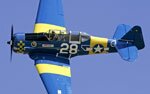
Two Canadian Harvard Aerobatic Team N.A. Harvard Mk.
II's taking off in formation at the 2006 Geneseo, NY airshow.
|
|
|
|
Below are
instructions on how to download and install one of this month's desktop
wallpapers. |
|
|
|
WINDOWS Users |
|
1. |
Click on the resolution you wish to download - select
the appropriate size for your display. |
|
2. |
A window with the full size image will be displayed. |
|
3. |
Click your right mouse button on the full-size image and
select "Set as Background" or "Set as Wallpaper"
from the pop-up menu to set the image as you desktop's wallpaper. |
|
|
|
|
MACINTOSH OS 9x Users |
|
1. |
Click on the resolution you wish to download - select
the appropriate size for your display. |
|
2. |
A larger version of the image will display. |
|
3. |
Under the File menu, select "Save As". |
|
4. |
Choose the folder you wish to save the picture in. We
suggest the "Desktop Pictures" Folder (located in the
Appearances folder section of your System folder. Be sure and select
"Source" as the proper format at the bottom of the Dialog box. |
|
5. |
You can rename the file before you save it. |
|
6. |
After saving the picture, under the Apple menu, select
"Control panels, Appearance." Select the "Desktop"
tab. |
|
7. |
Activate the "Place Picture" button, (if you
already have a photo displayed on your desktop, you'll need to
"Remove Picture" first) and select the file you just saved
from the "Choose A File" dialog box. Click on the
"Choose" button. |
|
8. |
We suggest the "Center On Screen" or
"Tile On Screen" choices for photo placement. |
|
9. |
Click on the "Set Desktop" button. Close the
Appearance dialog box. |
|
|
|
|
MACINTOSH OS X Users |
|
1. |
Select resolution |
|
2. |
Control click - select 'save image as', and save the
image to your hard drive - it's suggested you save it to your 'Pictures'
folder. |
|
3. |
For Mac OS X (10.3), go to System Preferences (on the
Apple menu) and choose Desktop & Screen Saver (in Personal): Desktop
(control-clicking the desktop and choosing Change Desktop Background...
from the pop-up menu will also get you there), then click Choose
Folder... (in the left panel) and select the folder in which you saved
the picture. Click the picture in the right panel to display it as your
desktop background. Recent versions of Mac OS X also provide options for
displaying different pictures at different times. |
|
|
|
|
 |
|
|
|
 |