|
 |
|
|
 |
|
|
 |
 |
| |
DESKTOP WALLPAPERS -
MARCH 2010
|
Warbird Depot is proud to offer
you the following desktop wallpapers.
Feel free to download any of the Warbird Depot desktop wallpapers below for your own
personal use, however, if you wish to publish them in any way, or require the
original pictures, please e-mail
Mark
Watt.

|
|
|
|
1. |
Mike Gillian flying his Grumman FM-2 Wildcat over the
Conesus Lake area during the 2009 Geneseo Airshow. |
| 2. |
Nathan Davis' beautiful N.A. P-51D Mustang "Checkertail",
being flown by Mark Watt, over Douglas Lake north of Sevierville, TN.
during the Tennessee Museum of Aviation's Warbird Weekend. |
| 3. |
Two airworthy Kittyhawks are operated in New Zealand.
This Curtiss P-40N-1 “Currawong” (fitted with a second seat and dual
controls), is being flown by Frank Parker at Classic Fighters 2007 and
is owned by a syndicate based at Ardmore, NZ. |
| 4. |
Owned by the Planes of Fame Air Museum, John Maloney is
seen flying the world’s only flyable authentic A6M5-52 Zero during a
Warbird Digest photo shoot at the 2006 Planes of Fame Airshow in Chino,
CA. |
| 5. |
Ryan Southam is seen leading a 3-ship formation in the
Dominee at the end of Classic Fighters 2009 Airshow, followed by a very
rare Dragonfly and Fox Moth. It is very rare to see these De Havilland
types let alone seeing them all in formation. These airplanes are based
at Mandeville, which is in the deep south of New Zealand, and fly loads
of excited passengers every year. |
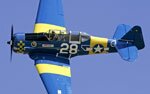
| 6. |
Bill Lewallen flying his beautifully restored Yakovlev
Yak-11 “Maniyak” over the old WWII bombing ranges in south central
Arizona. Patrick McGarry was flying Chris House's South African Harvard
as the photo ship. |
| 7. |
Based at Yolo County Airport, CA, Greg Colyer is seen
flying over the area in the T-33 Heritage Foundation’s Canadair CT-133
Silver Star "Ace Maker", with Kevin Walker in the back seat. In its
previous life, this plane flew with Flight Systems Inc. as N306FS, based
at the Mojave Airport in CA. |
| 8. |
Built by Canadian Vickers as Canso A RCAF 11054 (c/n
CV-357) this aircraft is owned and operated by the Catalina Club of New
Zealand, based at Ardmore near Auckland. It is painted to represent a
PBY-5 flown by No. 6 Squadron RNZAF operating in the Pacific. The
aircraft occasionally operates from fresh water only and at Warbirds
Over Wanaka passengers are treated to water landings. |
|
9. |
Taken during "Red Flag 09-2”, this is one of the 57th
FW, 64 AS Aggressor’s F-16C Fighting Falcon, used to simulate Red
Force's fighters during the exercise. Until recently this was the only
USAF Aggressor unit, but has now been supplemented by the 18th AS based
at Eielson AFB, Alaska. |
|
10. |
After completing a five year restoration, Ben Marsh is
seen flying his beautiful Yakovlev Yak-55, with Bernie Vasquez
formatting in Ben’s Yakovlev Yak-52, outside of Eagles Nest airport in
Ione, CA. |
|
11. |
Oneworld British Airway's Boeing 747-436 arriving at San
Francisco International Airport on runway 28L from London Heathrow
Airport, U.K. |
|
12. |
The Shuttleworth Collection’s rare Westland Lysander
IIIA seen during a flypast at the Flying Legends 2009 Airshow at Duxford,
UK. The aircraft represents the overall black paint scheme used by the
RAF during WWII for Special Ops missions. New to this aircraft is the
centerline tank that was used for either fuel or equipment depending on
the mission.
|
|
|
|
Below are
instructions on how to download and install one of this month's desktop
wallpapers. |
|
|
|
WINDOWS Users |
|
1. |
Click on the resolution you wish to download - select
the appropriate size for your display. |
|
2. |
A window with the full size image will be displayed. |
|
3. |
Click your right mouse button on the full-size image and
select "Set as Background" or "Set as Wallpaper"
from the pop-up menu to set the image as you desktop's wallpaper. |
|
|
|
|
MACINTOSH OS 9x Users |
|
1. |
Click on the resolution you wish to download - select
the appropriate size for your display. |
|
2. |
A larger version of the image will display. |
|
3. |
Under the File menu, select "Save As". |
|
4. |
Choose the folder you wish to save the picture in. We
suggest the "Desktop Pictures" Folder (located in the
Appearances folder section of your System folder. Be sure and select
"Source" as the proper format at the bottom of the Dialog box. |
|
5. |
You can rename the file before you save it. |
|
6. |
After saving the picture, under the Apple menu, select
"Control panels, Appearance." Select the "Desktop"
tab. |
|
7. |
Activate the "Place Picture" button, (if you
already have a photo displayed on your desktop, you'll need to
"Remove Picture" first) and select the file you just saved
from the "Choose A File" dialog box. Click on the
"Choose" button. |
|
8. |
We suggest the "Center On Screen" or
"Tile On Screen" choices for photo placement. |
|
9. |
Click on the "Set Desktop" button. Close the
Appearance dialog box. |
|
|
|
|
MACINTOSH OS X Users |
|
1. |
Select resolution |
|
2. |
Control click - select 'save image as', and save the
image to your hard drive - it's suggested you save it to your 'Pictures'
folder. |
|
3. |
For Mac OS X (10.3), go to System Preferences (on the
Apple menu) and choose Desktop & Screen Saver (in Personal): Desktop
(control-clicking the desktop and choosing Change Desktop Background...
from the pop-up menu will also get you there), then click Choose
Folder... (in the left panel) and select the folder in which you saved
the picture. Click the picture in the right panel to display it as your
desktop background. Recent versions of Mac OS X also provide options for
displaying different pictures at different times. |
|
|
|
|
 |
|
|
|
 |