|
 |
|
|
 |
|
|
 |
 |
| |
DESKTOP WALLPAPERS -
AUGUST 2007
|
Warbird Depot is proud to offer
you the following desktop wallpapers.
Feel free to download any of the Warbird Depot desktop wallpapers below for your own
personal use, however, if you wish to publish them in any way, or require the
original pictures, please e-mail
Mark
Watt.

|
|
|
|
1. |
Indiana Aviation Museum's Chance Vought F4U-5N Corsair,
being flown by Dave Folk, enroute to Gaylord, MI for the 2007 Airfest. |
|
2. |
Dan Vance taxiing out in Michael Brown's Hawker Sea Fury
T Mk.20 "September Pops" on his way to winning Unlimited Silver at the
2006 Reno National Championship Air Races. |
|
3. |
Jack Croul's Lockheed P-38L Lightning, being flown by
Jeff Harris, at the 2007 Planes of Fame Airshow in Chino, CA. |
|
4. |
Brant Seghetti rounding a pylon in his Jelly Belly
sponsored P-51D Mustang "Sparky" at the 2006 Reno Championship Air
Races. |
|
5. |
Boeing B-1B "Lancer" Bomber taking off at EAA AirVenture
2006. |
|
6. |
Mike Keenum's Hawker Sea Fury FB.11 "Riff Raff" rounding
a pylon with Robert "Hoot" Gibson at the controls during the 2006 Reno
National Championship Air Races. |
|
7. |
Dr. Ray Vetsch's Aero Vodochody L-39C Albatros, being
flown by Richard Hess, departing Gadsden, AL for a flight home to
Joplin, MO after installation of a new onboard video system. This
warbird also won Best L-39 Award at EAA AirVenture 2007. |
|
8. |
Bob Pond's Boeing B-17G "Miss Angela" landing at the
2003 Planes of Fame Airshow in Chino, CA. |
|
9. |
John Romain landing in the Russell Collection's
Messerschmitt Bf 109E during the 2006 Friendly Foes Above the Falls
Airshow. |
|
10. |
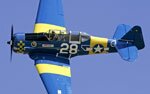
The Dwelle families N.A. AT-6G "Kitchen Pass", being
flown by Tom Jr. with brother Ken in the back seat, departing Eagles
Nest airport in Ione, CA. |
|
11. |
An Austrian Airlines A330-300 landing on runway 23 at
Toronto's LBPIA. |
|
12. |
The Berlin Airlift Historical Foundation's Douglas C-54E
Skymaster "Spirit of Freedom" taking off at EAA AirVenture 2007.
|
|
|
|
Below are
instructions on how to download and install one of this month's desktop
wallpapers. |
|
|
|
WINDOWS Users |
|
1. |
Click on the resolution you wish to download - select
the appropriate size for your display. |
|
2. |
A window with the full size image will be displayed. |
|
3. |
Click your right mouse button on the full-size image and
select "Set as Background" or "Set as Wallpaper"
from the pop-up menu to set the image as you desktop's wallpaper. |
|
|
|
|
MACINTOSH OS 9x Users |
|
1. |
Click on the resolution you wish to download - select
the appropriate size for your display. |
|
2. |
A larger version of the image will display. |
|
3. |
Under the File menu, select "Save As". |
|
4. |
Choose the folder you wish to save the picture in. We
suggest the "Desktop Pictures" Folder (located in the
Appearances folder section of your System folder. Be sure and select
"Source" as the proper format at the bottom of the Dialog box. |
|
5. |
You can rename the file before you save it. |
|
6. |
After saving the picture, under the Apple menu, select
"Control panels, Appearance." Select the "Desktop"
tab. |
|
7. |
Activate the "Place Picture" button, (if you
already have a photo displayed on your desktop, you'll need to
"Remove Picture" first) and select the file you just saved
from the "Choose A File" dialog box. Click on the
"Choose" button. |
|
8. |
We suggest the "Center On Screen" or
"Tile On Screen" choices for photo placement. |
|
9. |
Click on the "Set Desktop" button. Close the
Appearance dialog box. |
|
|
|
|
MACINTOSH OS X Users |
|
1. |
Select resolution |
|
2. |
Control click - select 'save image as', and save the
image to your hard drive - it's suggested you save it to your 'Pictures'
folder. |
|
3. |
For Mac OS X (10.3), go to System Preferences (on the
Apple menu) and choose Desktop & Screen Saver (in Personal): Desktop
(control-clicking the desktop and choosing Change Desktop Background...
from the pop-up menu will also get you there), then click Choose
Folder... (in the left panel) and select the folder in which you saved
the picture. Click the picture in the right panel to display it as your
desktop background. Recent versions of Mac OS X also provide options for
displaying different pictures at different times. |
|
|
|
|
 |
|
|
|
 |