|
 |
|
|
 |
|
|
 |
 |
| |
DESKTOP WALLPAPERS -
APRIL 2008
|
Warbird Depot is proud to offer
you the following desktop wallpapers.
Feel free to download any of the Warbird Depot desktop wallpapers below for your own
personal use, however, if you wish to publish them in any way, or require the
original pictures, please e-mail
Mark
Watt.

|
|
|
|
1. |
Beautifully restored by Ezell Aviation, Jim Smith's rare
Supermarine Seafire FR47 VP441, is seen being flown by Nelson Ezell,
over Crystal Lakes, MT. |
| 2. |
Dan Martin flying his N.A. P-51D Mustang "Ridge Runner
III", with Chris Luvara in the back seat, over Hollister, CA. |
| 3. |
CAF Memphis Squadron's Hawker Sea Fury FB.11, being
flown by Dr. David Peeler, during a Warbird Digest photo shoot at
AirVenture 2007. |
| 4. |
Dennis Sanders flying Peter McMillan's immaculate
Beechcraft Super H-18 overhead Vacaville, CA shortly after bring
restored by Sanders Aeronautics of Ione, CA. |
| 5. |
Bill Whittington performs a flypast in his rare N.A.
P-51H Mustang at the 2008 Cactus Fly-In at Casa Grande, AZ. |
| 6. |
Ron Palmer's 1941 Piper J-5 Cub, being flown by son Tom
Palmer, over Gasner Field Airport at Quincy, CA. |
| 7. |
McDonnell Douglas QF-4E Phantom II of the 82nd Aerial
Targets Squadron (53 WEG), painted in Gen. Robin Olds colors, practicing
for the 2008 USAF Heritage Flight airshow season at Davis-Monthan AFB,
Tucson, AZ. |
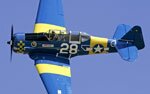
| 8. |
John Lohmar rounding pylon #2 in his N.A. SNJ-5 Texan
"Radical Velocity" on his way to a Bronze Class first place finish at
the 2007 Reno National Championship Air Races in Reno, NV. |
|
9. |
Paul Keppeler taking off in his Canadair T-33 Silver
Star at EAA AirVenture 2007. |
|
10. |
Gene Soucy and wingwalker Teresa Stokes saluting the
crowd in the Grumman Showcat at the 2006 Reno National Championship Air
Races in Reno, NV. |
|
11. |
An Air Canada A321 on final for runway 05 at Toronto's
LBPIA. |
|
12. |
Two USAF Thunderbirds General Dynamics F-16C "Fighting
Falcons" mirror pass at the 2006 Reno National Championship Air Races in
Reno, NV.
|
|
|
|
Below are
instructions on how to download and install one of this month's desktop
wallpapers. |
|
|
|
WINDOWS Users |
|
1. |
Click on the resolution you wish to download - select
the appropriate size for your display. |
|
2. |
A window with the full size image will be displayed. |
|
3. |
Click your right mouse button on the full-size image and
select "Set as Background" or "Set as Wallpaper"
from the pop-up menu to set the image as you desktop's wallpaper. |
|
|
|
|
MACINTOSH OS 9x Users |
|
1. |
Click on the resolution you wish to download - select
the appropriate size for your display. |
|
2. |
A larger version of the image will display. |
|
3. |
Under the File menu, select "Save As". |
|
4. |
Choose the folder you wish to save the picture in. We
suggest the "Desktop Pictures" Folder (located in the
Appearances folder section of your System folder. Be sure and select
"Source" as the proper format at the bottom of the Dialog box. |
|
5. |
You can rename the file before you save it. |
|
6. |
After saving the picture, under the Apple menu, select
"Control panels, Appearance." Select the "Desktop"
tab. |
|
7. |
Activate the "Place Picture" button, (if you
already have a photo displayed on your desktop, you'll need to
"Remove Picture" first) and select the file you just saved
from the "Choose A File" dialog box. Click on the
"Choose" button. |
|
8. |
We suggest the "Center On Screen" or
"Tile On Screen" choices for photo placement. |
|
9. |
Click on the "Set Desktop" button. Close the
Appearance dialog box. |
|
|
|
|
MACINTOSH OS X Users |
|
1. |
Select resolution |
|
2. |
Control click - select 'save image as', and save the
image to your hard drive - it's suggested you save it to your 'Pictures'
folder. |
|
3. |
For Mac OS X (10.3), go to System Preferences (on the
Apple menu) and choose Desktop & Screen Saver (in Personal): Desktop
(control-clicking the desktop and choosing Change Desktop Background...
from the pop-up menu will also get you there), then click Choose
Folder... (in the left panel) and select the folder in which you saved
the picture. Click the picture in the right panel to display it as your
desktop background. Recent versions of Mac OS X also provide options for
displaying different pictures at different times. |
|
|
|
|
 |
|
|
|
 |